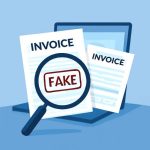
Digital documents are indispensable, but they’re also a favorite vehicle for fraud. Whether a suspicious invoice lands in a finance inbox or a seemingly legitimate receipt appears in an expense report, the ability to detect fake pdf and related forgeries is essential for businesses and individuals. Below are practical strategies, technical cues, and real-world examples that sharpen detection skills and reduce exposure to document fraud.
Technical and Visual Indicators to Identify PDF Fraud
Many forgeries reveal themselves through a mix of subtle visual inconsistencies and measurable technical anomalies. Start with visual inspection: check typography and alignment for mismatched fonts, inconsistent spacing, or logos that appear blurred or pixelated. Genuine document templates usually maintain consistent kerning and font styles; if an invoice or receipt uses multiple fonts without reason, treat it as a red flag. Look closely at numerical fields—decimal alignment, currency symbols, and date formats should all match the sender’s usual style.
Beyond the surface, examine the PDF’s structure and metadata. A legitimate invoice generated by an accounting system will typically contain consistent metadata fields (creator, producer, modification dates). Use PDF inspection tools to view metadata timestamps; discrepancies—such as a document claiming to be months old but modified recently—warrant deeper scrutiny. Embedded fonts and image layers can also betray manipulation: flattened images where editable text should be, or rasterized logos placed over genuine text layers, often indicate editing in consumer-grade tools rather than professional invoicing software.
Another technical check is to verify embedded hyperlinks, digital signatures, and document permissions. A valid digital signature should verify against a trusted certificate authority and show an intact signing chain. If a signature fails validation or metadata mismatches the signing entity, the document may be tampered with. For hyperlinks, hover (or inspect) to confirm that the visible URL matches the actual link target—fraudsters often disguise malicious links behind legitimate-looking anchor text. Combining these visual and technical checks provides a robust first line of defense against detect pdf fraud attempts.
Procedures and Tools for Verifying Invoices and Receipts
Establish repeatable procedures so verification becomes part of routine processing rather than an ad-hoc activity. Begin with a standardized checklist: confirm sender identity via known contact channels (not those listed on the document), validate invoice numbers against internal purchase orders, and cross-check amounts with contract terms. For receipts, compare itemized charges with expected prices and transaction histories. Implement a two-person review for high-value items or new vendors to ensure independent verification before payment.
Deploy automated tools to enhance manual checks. Optical Character Recognition (OCR) combined with data extraction software can pull critical fields—vendor name, invoice number, totals—for comparison against accounting records. Machine learning models trained on historical invoices can flag anomalies like outlier amounts, unexpected vendor names, or unfamiliar banking details. For documents that require legal assurance, use cryptographic verification: PDFs signed with certified digital signatures provide tamper-evidence and signer authentication. When a signature is absent or fails verification, escalate to a manual audit.
Train staff on social engineering patterns that accompany document fraud. Fraudulent invoices often request urgent payments, fear-based penalties, or last-minute changes to payment accounts. Establish a policy that any change to payment details must be confirmed via a pre-existing phone number or in-person approval. Regularly update vendor master files and use whitelisting for trusted suppliers. Where possible, link document intake to procurement systems so invoices only process if a corresponding purchase order exists—this greatly reduces the window for a fake invoice to be paid. These procedures help organizations detect fraud invoice attempts before funds are transferred.
Real-World Examples, Case Studies, and Prevention Best Practices
Examining real incidents reveals typical attacker patterns and effective countermeasures. In one case, a mid-sized company received a well-formatted PDF invoice that matched a past vendor’s style. The fraudster had copied logo and layout, but the bank account number in the document differed by a single digit. A routine two-step verification—calling the vendor using a number from the company’s vendor file—caught the discrepancy and prevented a six-figure loss. This underscores the importance of out-of-band verification for any payment-related document.
Another example involved a receipt submitted for expense reimbursement that was digitally altered: amounts were increased and timestamps adjusted. Forensic inspection using file comparison tools exposed inconsistent image compression artifacts and an embedded metadata mismatch. The expense policy requiring original transaction records (bank or card statements) in addition to receipts prevented the fraudulent claim from being reimbursed. Organizations that combine policy controls with technical forensics significantly raise the bar for successful fraud attempts.
Prevention best practices include centralizing invoice processing, enforcing strong access controls for document creation templates, and using watermarking or sequential numbering that’s difficult to replicate. Encourage employees to use verification links and tools; for instance, an automated validation portal can accept a submitted PDF and return a risk score or validation status. Public-facing resources can help users detect fake pdf quickly by analyzing metadata, signatures, and structural anomalies. Regular training, simulated phishing or invoice-fraud exercises, and timely software updates round out a resilient defense that makes document fraud efforts far less likely to succeed.